Why it is written this way
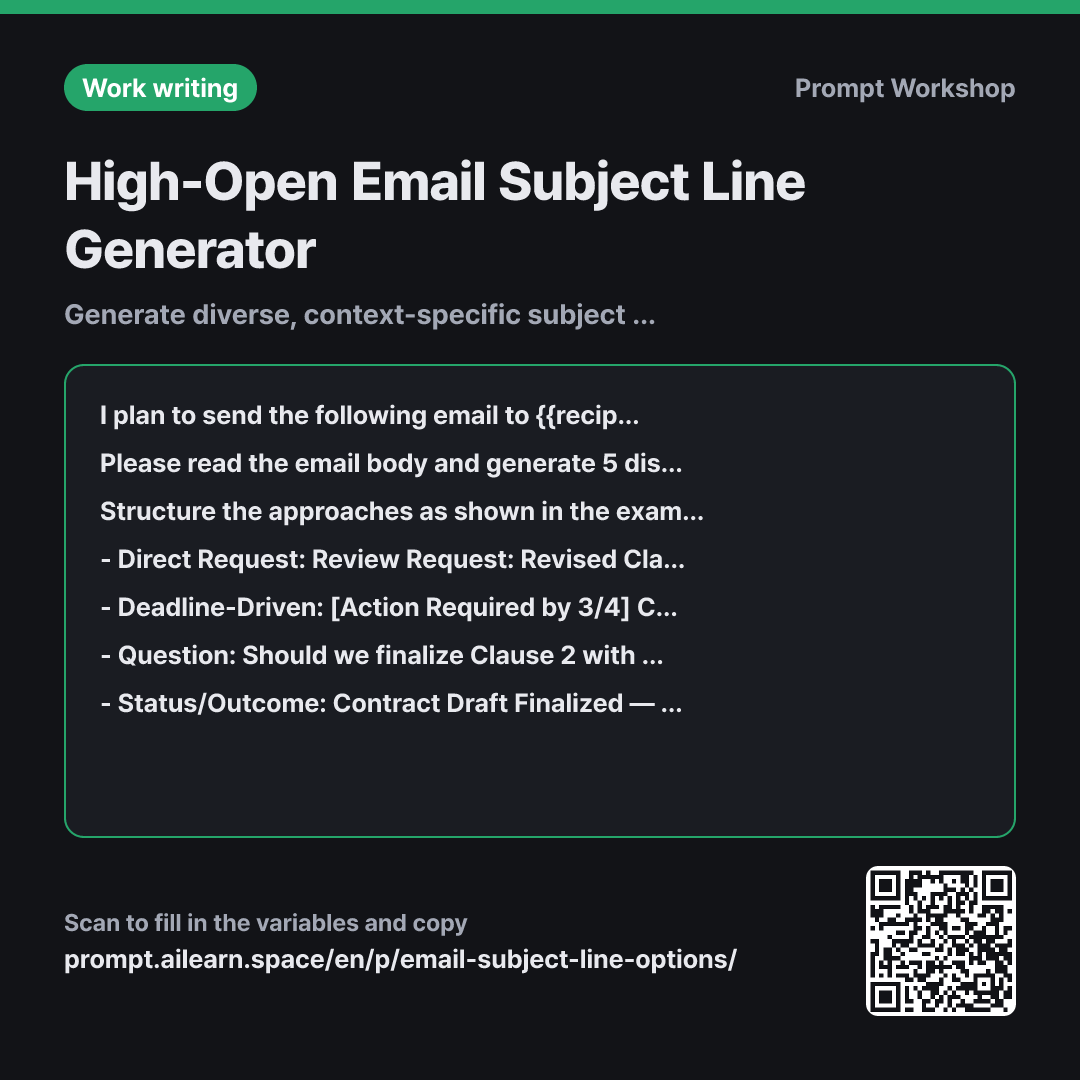
It is common to finish writing an email and freeze at the subject line field. If you simply ask AI to "write a subject line," it typically returns one generic option or minor variations of the same thing. The goal of an effective subject line prompt is not to guess one single winner, but to provide diverse options to choose from, since what constitutes a "good" subject line changes dramatically depending on the recipient and context.
The first paragraph sets the Context by specifying who the recipient is and how they triage their inbox. A subject line for an internal manager requires different priority cues than one for a cold client. The Task paragraph strictly specifies that the five options must follow different approaches, preventing the AI from just swapping synonyms in five nearly identical lines.
The third paragraph provides concrete Examples. Labeling styles like Direct Request, Deadline-Driven, and Question with practical business examples guides the AI to generate genuinely distinct angles. The Format section mandates a table with a "Best Used When" column so you can evaluate each option strategically rather than relying on gut feel.
The Constraints prevent the common AI pitfall of hallucinating dates or numbers into short titles, which would otherwise damage credibility. Asking the model to select the safest option creates an immediate anchor for follow-up refinement (e.g., "Make option 3 slightly more casual").
Unfamiliar terms? See Aha AI: few-shot, output-format
Compared with a bad example
Write a subject line for this email.
(paste email body)
This returns a single, bland summary line. Without alternative options or context about the recipient, AI tends to default to passive summary templates like "Update regarding project," which give the reader no clear incentive to open the email right away.
Variations
For Newsletters & Marketing Emails
Below is the body of a promotional email to be sent to {{recipient person}}. Generate 5 subject line candidates designed to maximize open rates. Keep each subject under 50 characters, covering one of each style: Benefit-driven, Curiosity-inducing, Number/Data-led, Urgency/Deadline, and Question. Format the results as a table with columns: "Subject Line | Style | Why It Works". Do not invent fake discounts or exaggerated claims. Include a one-line preview text (preheader) next to each subject line.
Email Body: """ {{email body}} """
Unlike standard business correspondence, marketing emails focus on engagement and click-through, so this variant introduces copy-testing angles and inbox preview text.
Refining Variations on a Selected Angle
I like subject line #3 from the previous response. Please generate 5 nuanced variations following that exact same approach. Keep each under 40 characters and ensure the tone is professional yet comfortable for {{recipient person}}. Next to each option, briefly note what was adjusted in a few words.
Much faster than regenerating everything from scratch. Once the strategic angle is chosen, this allows fine-tuning the tone and phrasing.
Model notes
AI models often struggle with exact character and word counts. If a strict character limit is exceeded, simply prompt: "Count the characters for each subject line and shorten any that exceed the limit."
If the model outputs subject lines wrapped in quotation marks, they might accidentally carry over when copy-pasting. Adding "Output subject lines without quotes" keeps the copy ready to paste.
Related prompts
Last updated 2026-09-02 · Found a mistake? Let us know