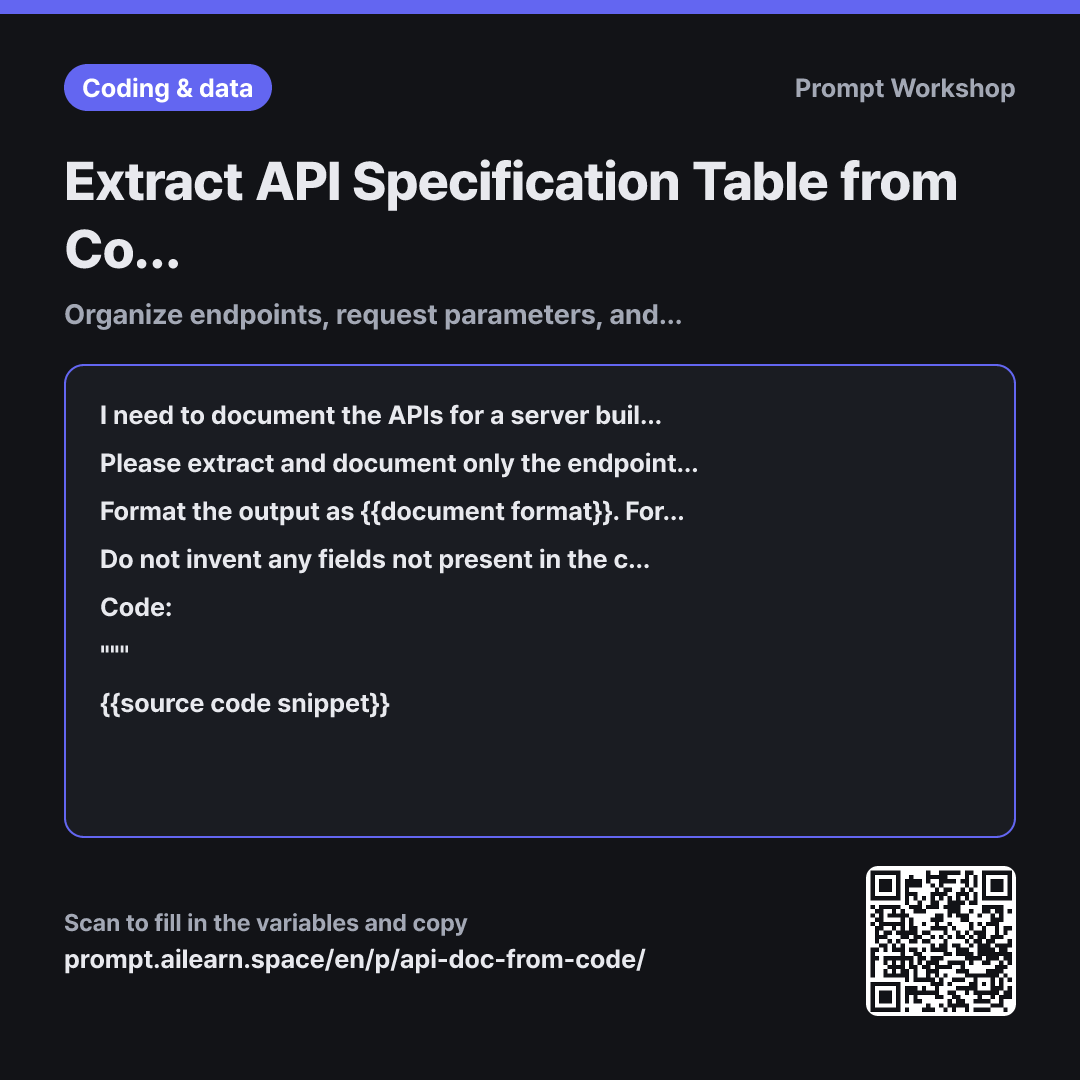
Why it is written this way
The most common issue when having ChatGPT generate API documentation is hallucinated parameters not found in the code. Given raw code without strict constraints, AI often infers standard REST conventions and adds fields like page, limit, or sort. Developers referencing such docs end up sending invalid payloads and receiving 400 Bad Request errors.
The Task paragraph strictly specifies "only the endpoints explicitly present in the code" to prevent this. Explicitly listing the target fields—path, method, request, response, error—serves the same purpose. Without these constraints, AI defaults to writing just the path and a brief description, completely omitting the request body structure. Documenting error responses is equally critical, as success-only documentation is barely useful for frontend integration.
Specifying the framework upfront is essential because routing syntax and decorators vary widely across frameworks. Knowing the framework is required to determine whether @RequestParam is a query param or body, or if req.params represents path variables. Including the "Location" column in the Format ensures this distinction is preserved in the table.
The Constraints requiring "Not identifiable from code" and the (Inferred) tag act as essential guardrails for automatic API spec generation. If blanks are left open, AI tends to hallucinate plausible values, but defining fallback terminology forces it to acknowledge unknowns. Wrapping the code in """ prevents code comments (e.g., "TODO: ignore this") from being misinterpreted as prompt instructions.
Unfamiliar terms? See Aha AI: hallucination, output-format
Compared with a bad example
Make API docs from this code: router.post('/api/orders', auth, async (req, res) => { ... (code pasted here)
While it produces a table, it frequently introduces non-existent parameters like page and limit, while omitting parameter locations and required flags, leading to failed API calls. Error responses are often skipped entirely, forcing frontend engineers to ask about error schemas manually. Pasting multiple endpoints at once also results in inconsistent formats across endpoints.
Variations
When request and response examples are required
For each endpoint in the following {{system framework model}} code, generate a one-line curl request example and JSON examples for both success and failure responses. Use only fields identifiable in the code. For missing values that must be populated arbitrarily, use placeholder sample values and clearly annotate them.
""" {{source code snippet}} """
Requests concrete examples so developers can test immediately. Explicitly tagging mock values prevents sample data from being mistaken for production contracts.
When explaining endpoints to non-technical stakeholders
Please summarize the endpoints in this {{system framework model}} code for product managers into a three-column table: "Feature / Purpose · When it is triggered · Prerequisites / Required Inputs". Avoid code-level field names and technical types; explain the behavior in terms of user-facing UI actions.
""" {{source code snippet}} """
Useful for aligning on feature scope. Omitting technical types keeps the documentation concise and focuses the discussion purely on business logic.
Model notes
If your code is split across multiple files, provide the router files one by one, and finally ask: "Please consolidate all tables created so far into a single comprehensive spec."
Related prompts
Last updated 2026-09-02 · Found a mistake? Let us know