Why it is written this way
Searching for ways to build Midjourney prompts often leads to simple advice like "just translate your native text into English." However, raw translations usually contain invisible abstractions—such as "a lonely mood on a rainy night." Image AI models cannot visualize pure abstractions, resulting in unfocused and blurry generations.
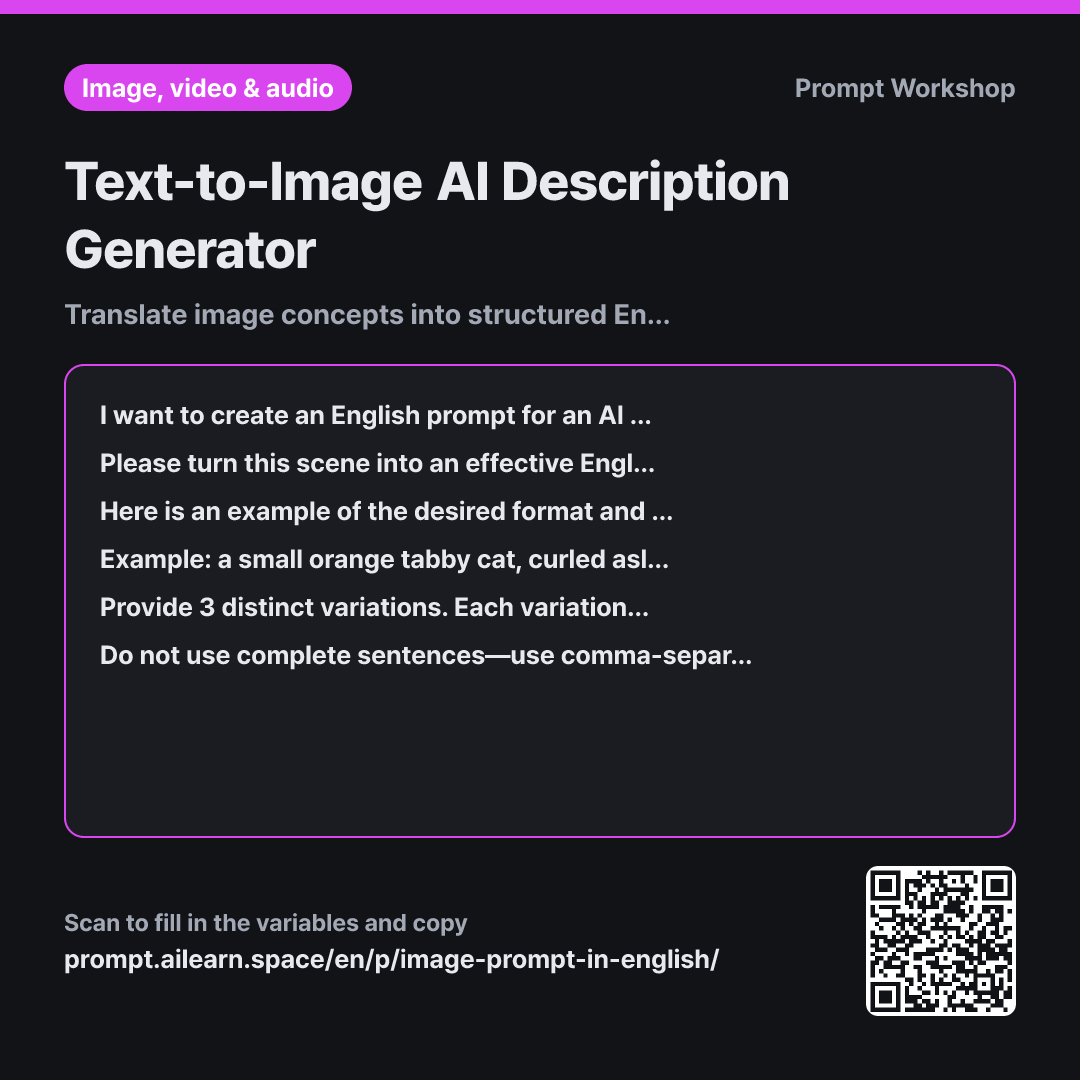
The Format structure—Subject → Action → Background → Composition → Lighting → Art Style—forms the backbone of this prompt. Generative image models assign greater weight to words appearing earlier in the prompt. Placing what to draw first and how it should look toward the end keeps the core subject stable. Without a defined order, style keywords often overwhelm the prompt and push the subject aside.
Providing a single clear Example is far more effective than just listing rules. The cat example demonstrates the exact phrase length, comma pacing, and lighting detail required. AI models excel at pattern matching, so one concrete example easily replaces multiple abstract rules when building image prompts.
The Constraints serve two purposes: quality control (avoiding full sentences and filtering out invisible concepts) and safety/originality (excluding specific artist names and celebrity likenesses to prevent direct imitation or tool blocks). Finally, generating 3 distinct variations provides clear points of comparison, helping you quickly identify which visual elements to tweak.
Unfamiliar terms? See Aha AI: few-shot, output-format
Compared with a bad example
Make an English prompt to draw a lonely person eating soup alone at a food cart on a rainy night.
A simple query like this produces a plain single sentence: "a lonely person eating soup at a street food stall on a rainy night." Lacking composition, lighting, and style cues, the AI produces unpredictable results every time, and abstract words like "lonely" are discarded without visual representation.
Variations
Making Minor Tweaks to a Preferred Result
I like the image generated from the English prompt below, but I want to adjust one specific detail: "{{scene to draw}}". Please do not rewrite the entire prompt from scratch. Identify and replace only the necessary words or phrases, then add a one-line explanation of what was changed and why. Keep all other phrases and their exact order intact.
Rewriting the entire prompt changes parts of the image that you already liked. Pinpointing specific phrases ensures you modify only one element at a time.
Creating Banner Images with Copy Space
I need an image for a {{screen aspect ratio}} banner. The scene is "{{scene to draw}}", and the style is {{drawing style}}.
I need clear negative space on one side of the image to overlay text. Please write an English image prompt with a composition that shifts the main subject to one side and keeps the opposite side clean and minimal. Below the prompt, add a brief note indicating which side is best suited for placing text.
For banner and graphic design assets, functional layout matters as much as visual appeal. This variant explicitly requests intentional negative space for copy placement.
Model notes
Midjourney appends aspect ratios to the end of prompts as `--ar 3:2`. Other tools often configure aspect ratios via UI settings, so apply the ratio parameter according to your specific platform.
Related prompts
Last updated 2026-09-02 · Found a mistake? Let us know