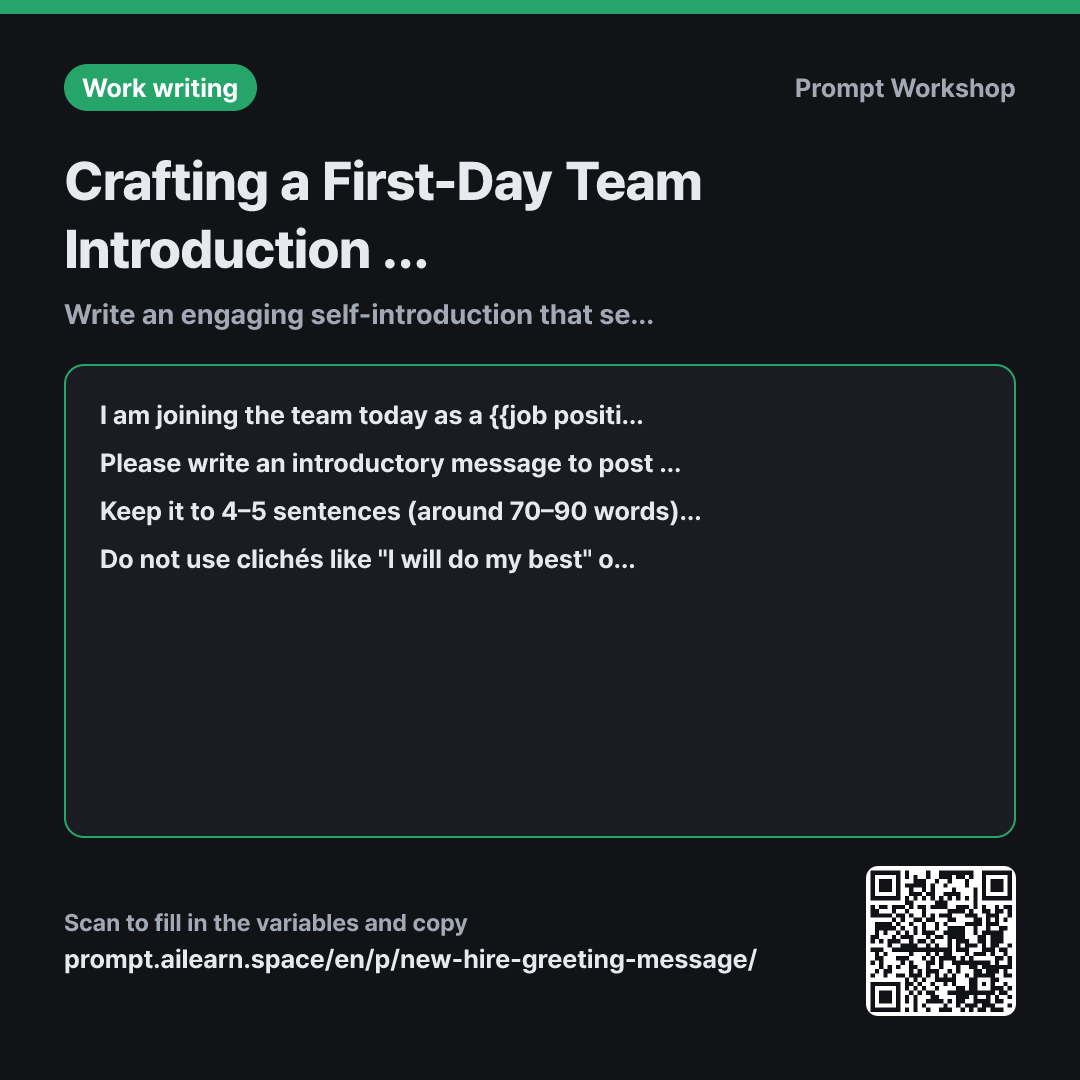
Why it is written this way
The most common mistake people make with introduction prompts is pasting their entire resume and asking the AI to polish it. That generates a lengthy, chronological list of credentials that almost nobody reads to the end on a team chat channel. A first-day greeting isn't meant to explain your entire life story—it is meant to invite people to start a conversation with you.
This is why the first paragraph (context) includes not just your role and experience, but also the team's culture. Even with the exact same background, a casual team calls for a light two-to-three sentence note, whereas a more formal team benefits from professional phrasing. If you aren't sure about the vibe, selecting "Not sure yet" lets the AI default to a well-balanced, approachable neutral tone.
The format paragraph locks in both the structure and the length. Without a specific sentence or word count, AI models almost always double the length. Mandating a closing line like "feel free to reach out" ensures that the message accomplishes its core goal: opening the door to casual interaction.
Finally, the constraints prevent two major issues. First, generic corporate clichés. AI greetings often reek of automated boilerplate with phrases like "eager to learn from everyone" or "giving 110%." Banning them immediately makes the copy sound human. Second, hallucinations. When given a brief background, AI models tend to fill gaps by inventing prestigious universities, company names, or awards. Messages posted in team channels remain visible for future hires to read. Having inaccurate details published on day one is surprisingly awkward to fix.
Unfamiliar terms? See Aha AI: output-format, prompt
Compared with a bad example
Write an intro message for my first day.
(Pastes entire resume)
When a resume is used as raw input, the output simply mimics a resume. You end up with a ten-line chronological timeline, with zero mention of what you will actually be doing here. Without knowing the team culture, the tone can easily mismatch—leaving you sounding stiff and robotic in a casual team chat. Pasting an entire resume also creates unnecessary privacy and data-sharing risks.
Variations
Sending via Department-Wide Email Instead of Chat
I am joining the department today as a {{job position role}}. Here is my background: {{work experience}}. The department culture is {{team atmosphere culture}}.
Please write an introduction email to send to the entire department. Include a single subject line and two short paragraphs in the body (around 100–120 words total). Use [Name] as a placeholder for my name and [Desk Location] for my seating location. Do not include clichés or fabricated credentials.
Email calls for a slightly more formal tone than chat and requires a clear subject line. Because it goes out across multiple teams, adding practical details like your desk location helps people find you.
Joining as an Experienced Lead or Manager
I am joining the team today as the {{job position role}} lead. Here is my background: {{work experience}}. The team culture is {{team atmosphere culture}}.
Please write an introductory message to share with the team. Instead of outlining directives or future plans, include a sentence expressing that I look forward to having 1-on-1 chats with everyone over the next two weeks. Keep it within 5 sentences, leaving [Name] as a placeholder for my name.
When a new leader leads with ambitious plans on day one, it can create unnecessary pressure. Framing your first initiative around listening builds trust and eases tension.
Model notes
Language models frequently exceed character or word count limits. If the generated output is too long, follow up with "Shorten this to under 80 words," and double-check before sending that the [Name] placeholder has not been replaced with a random fictitious name.
Related prompts
Last updated 2026-09-02 · Found a mistake? Let us know